You can apply to become an Introducing Broker (IB) with DPrime by following these steps:
- Log in to your DPrime account.
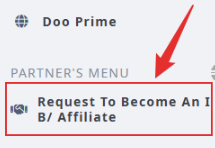
- From the left-side menu, scroll to the bottom.
- Click “Request to Become an IB / Affiliate.”
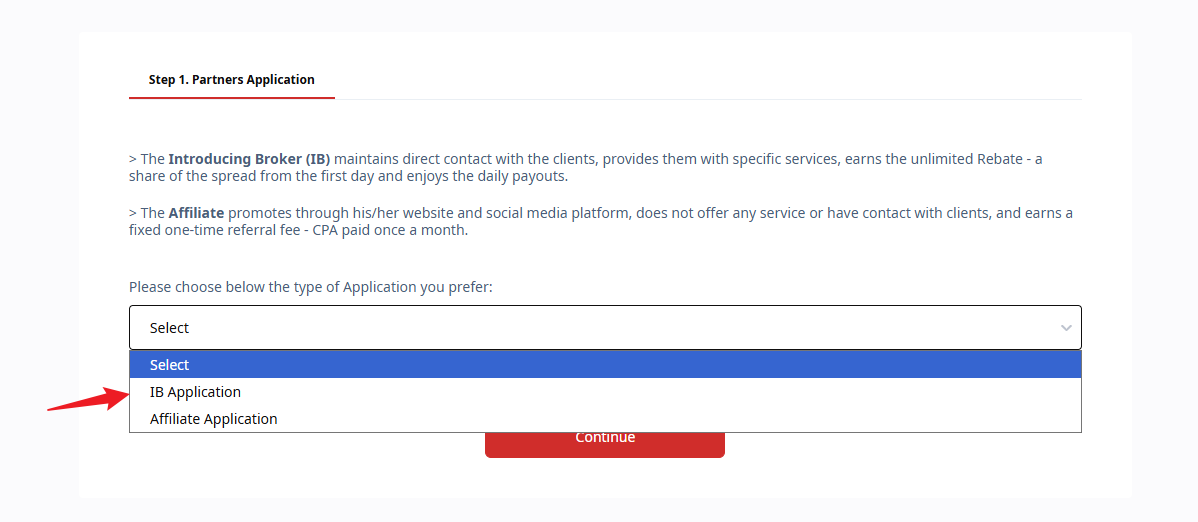
- From the drop-down menu, select IB.
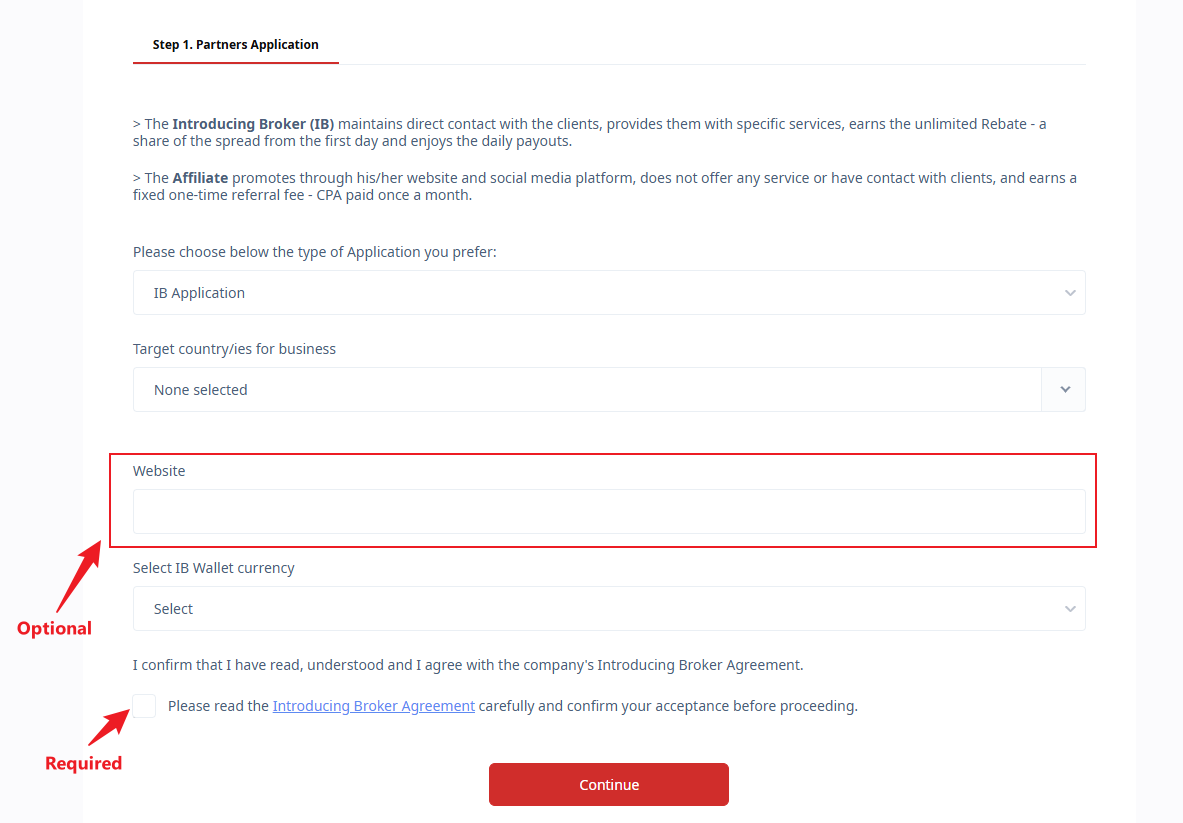
- Fill in the required information, then click Continue.
- Follow the remaining steps to complete your submission.
Was this article helpful?
That’s Great!
Thank you for your feedback
Sorry! We couldn't be helpful
Thank you for your feedback
Feedback sent
We appreciate your effort and will try to fix the article